
Skip to content
RepQuotes-Contractor-quoting-software

WELCOME TO
ROOFLE!

Use the resources below to install, integrate, and customize the ROOFLE experience.
rqp-v5
RoofQuote-PRO_dark-1

MADE FOR
ROOFERS 🔨

roofle-icon-button-orange
RoofQuote-PRO_dark-1

BUILT FOR
GIANTS 💪

rqp-v5
RoofQuote-PRO_dark-1

MADE FOR
ROOFERS 🔨

roofle-icon-button-orange
RoofQuote-PRO_dark-1

BUILT FOR
GIANTS 💪

rqp-v5
RoofQuote-PRO_dark-1

MADE FOR
ROOFERS 🔨

roofle-icon-button-orange
RoofQuote-PRO_dark-1

BUILT FOR
GIANTS 💪

rqp-v5
RoofQuote-PRO_dark-1

MADE FOR
ROOFERS 🔨

roofle-icon-button-orange
RoofQuote-PRO_dark-1

BUILT FOR
GIANTS 💪

rqp-v5
RoofQuote-PRO_dark-1

MADE FOR
ROOFERS 🔨

roofle-icon-button-orange
RoofQuote-PRO_dark-1

BUILT FOR
GIANTS 💪

rqp-v5
RoofQuote-PRO_dark-1

MADE FOR
ROOFERS 🔨

roofle-icon-button-orange
RoofQuote-PRO_dark-1

BUILT FOR
GIANTS 💪

GETTING STARTED

WELCOME TO ROOFLE

Welcome to your ROOFLE developer portal! Your account is live and you now have access to the platform. From here, you can embed the tool on the company website, connect your CRM, and explore our developer resources. If you run into any issues along the way, our support team is just a click or call away.


onboarding-survey
TOUCH

Check Out Docs
STEP 1

Check Out Docs
STEP 1

Start by exploring our Knowledge Base. Find guides for website installs, CRM integrations, and other implementations to get up and running quickly.

software-engineer
TOUCH

Test It Out
STEP 2

Test It Out
STEP 2

Put it into action. Install the tool on your site. Connect your CRM. Validate your implementation before going live.
book-technical-support
TOUCH

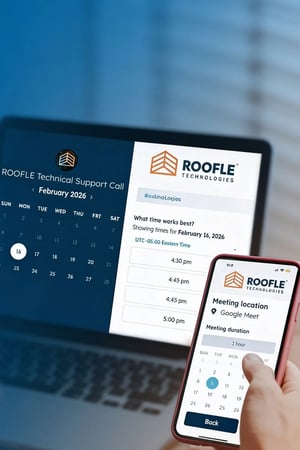
Schedule Support Meeting
STEP 3

Schedule Support Meeting
STEP 3

Running into issues? Book a meeting with our technical support team to troubleshoot issues and make sure everything is ready for launch.

FAQs

Why isn't the widget showing up after installing the script?

There are a few common reasons the tool may not appear after installation. First, make sure the domain is whitelisted in your settings. If you're using a specific website builder, there may be additional steps required for script embedding — click here for platform-specific guidance.

How can I send a test lead after integrating my CRM?

After installing the tool on your site, simply run through the quoting experience yourself and submit a lead. This lets you verify the data is flowing correctly into your CRM end-to-end before going live.

Does your tool integrate with Google Tag Manager?

Yes! Our tool fires several JavaScript events that you can use to hook up GTM tracking. For a full list of available events and setup instructions, check out our GTM integration guide.